ENGR 100-600 | University of Michigan
Guide to Using PrairieLearn
ENGR 100: Introduction to Engineering
Section 600: Underwater Vehicle Design
University of Michigan
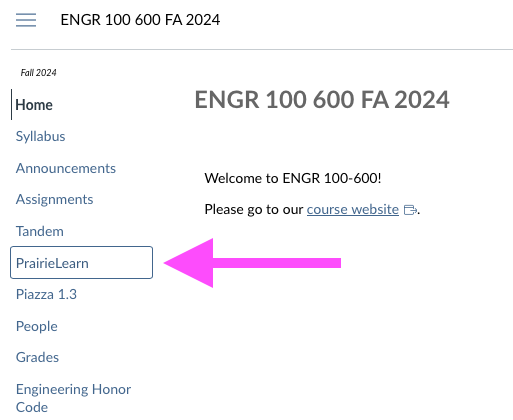
We will use the online platform PrairieLearn for some of our work in ENGR 100-600 this semester. The first time you go to PrairieLearn, use the link in Canvas (your semester will be different than the one in the picture):
When you access PrairieLearn, you will see a screen that looks something like this image but with dates appropriate for this term:
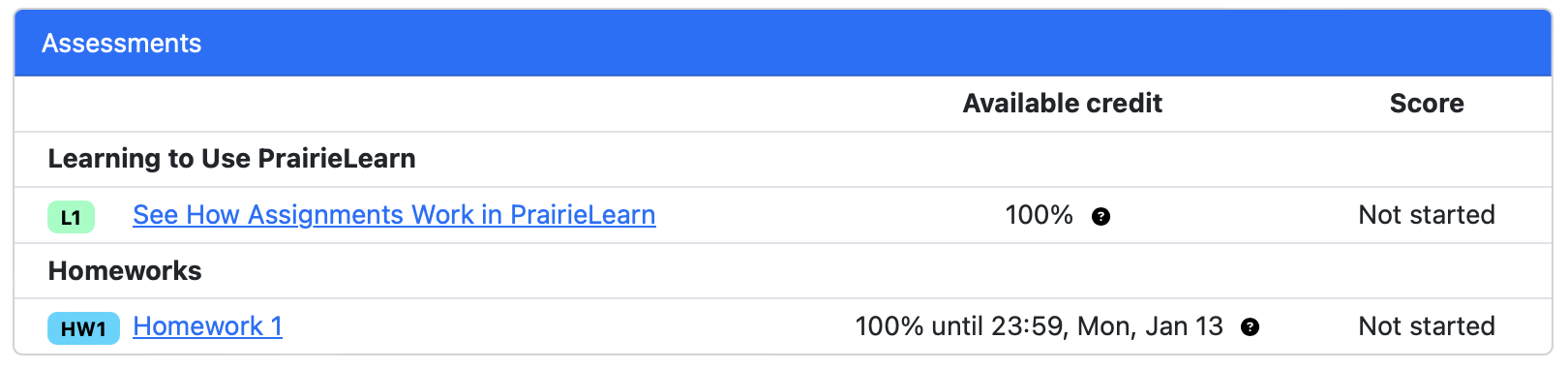
Click on the name of an assignment to get started on that assignment.
Homeworks have no time limit. The “Assessment Overview” (all assignments are called “assessments” on PrairieLearn) will show you the points for the assignment, the available credit, and the questions for the assignment:
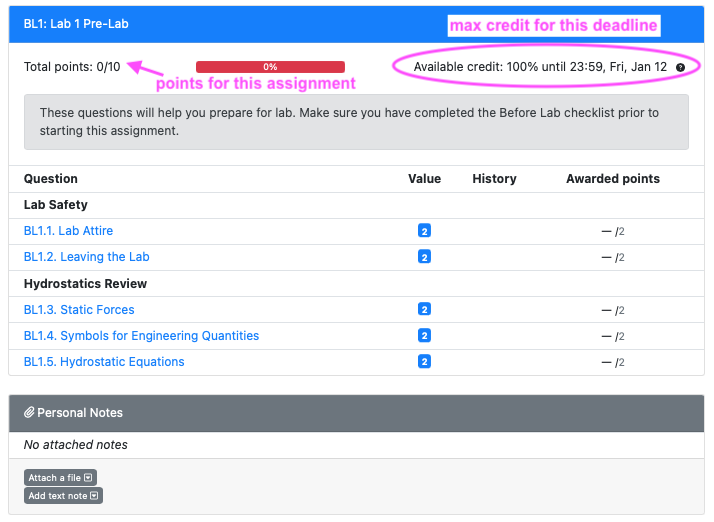
PrairieLearn will automatically apply the grade caps for late submissions, so if you complete an assignment after its original due date, you will see something like “Available credit: 95% until 23:59, <Day>, <Date>”.
The homeworks are meant for learning, so we’ve given you unlimited attempts for each question:
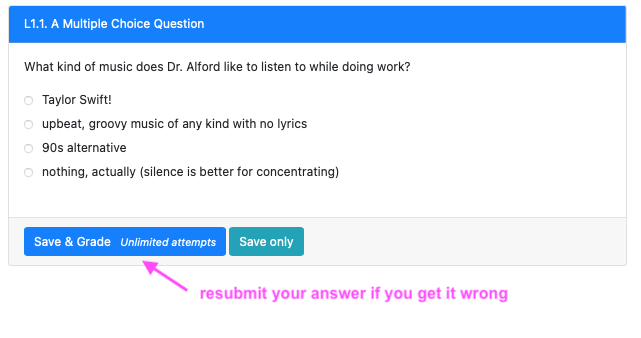
If you get an answer wrong, scroll down to the “Submitted answer” box for some help, advice, and ideas about what to look for to correct your answer:
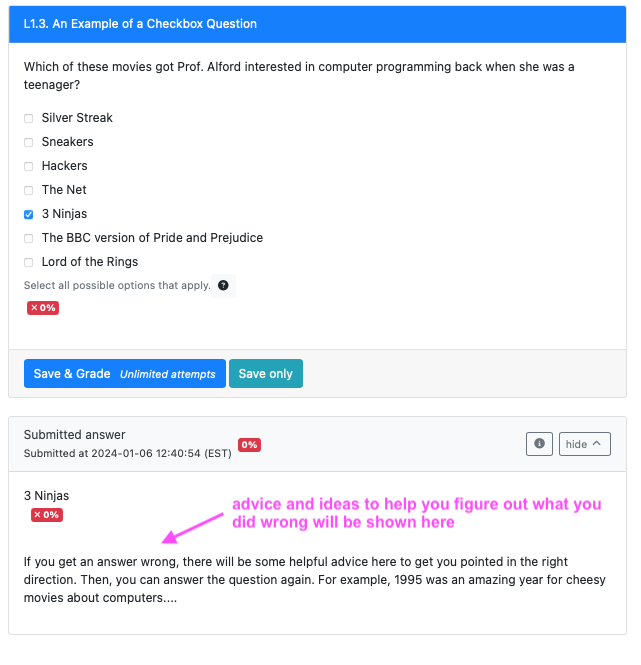
After you have answered the questions correctly, check out the “Correct answer” box for more advice and/or feedback.
That’s pretty much it for homeworks! If you run into any problems, come to office hours or post on Piazza.